


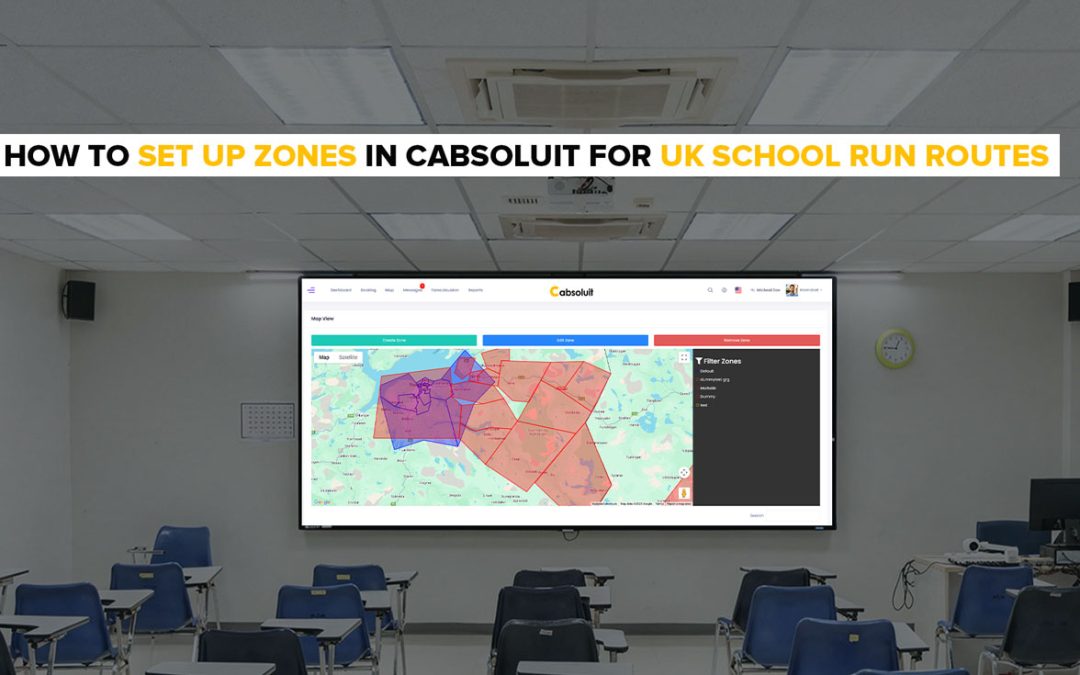
When you win school run contracts across different UK council areas, things get complicated fast.
Which driver covers which area? What fare applies to which route? How do you stop driving in Leeds getting assigned a job in Bradford?
UK local authorities award hundreds of homes to school transport contracts every year. Each contract covers a defined geographic area. Managing multiple contracts across different councils means managing multiple zones and Cabsoluit makes that straightforward.
Here is exactly how it works.
What Is the Zone System in Cabsoluit?
What Is the Zone System in Cabsoluit?
A zone in Cabsoluit is a custom service area that the dispatcher creates and defines themselves.
There are no preset zones. You draw the boundaries of the areas you want to operate in — directly on the map. If you run school contracts across Leeds, Bradford and Birmingham, you create a zone for each one yourself.
This matters for UK school run operators because council contracts are awarded by geographic area. Creating a zone for each contract area means bookings stay organised by location. A job in Leeds stays in the Leeds zone. A Bradford route does not get assigned to a driver operating in Birmingham.
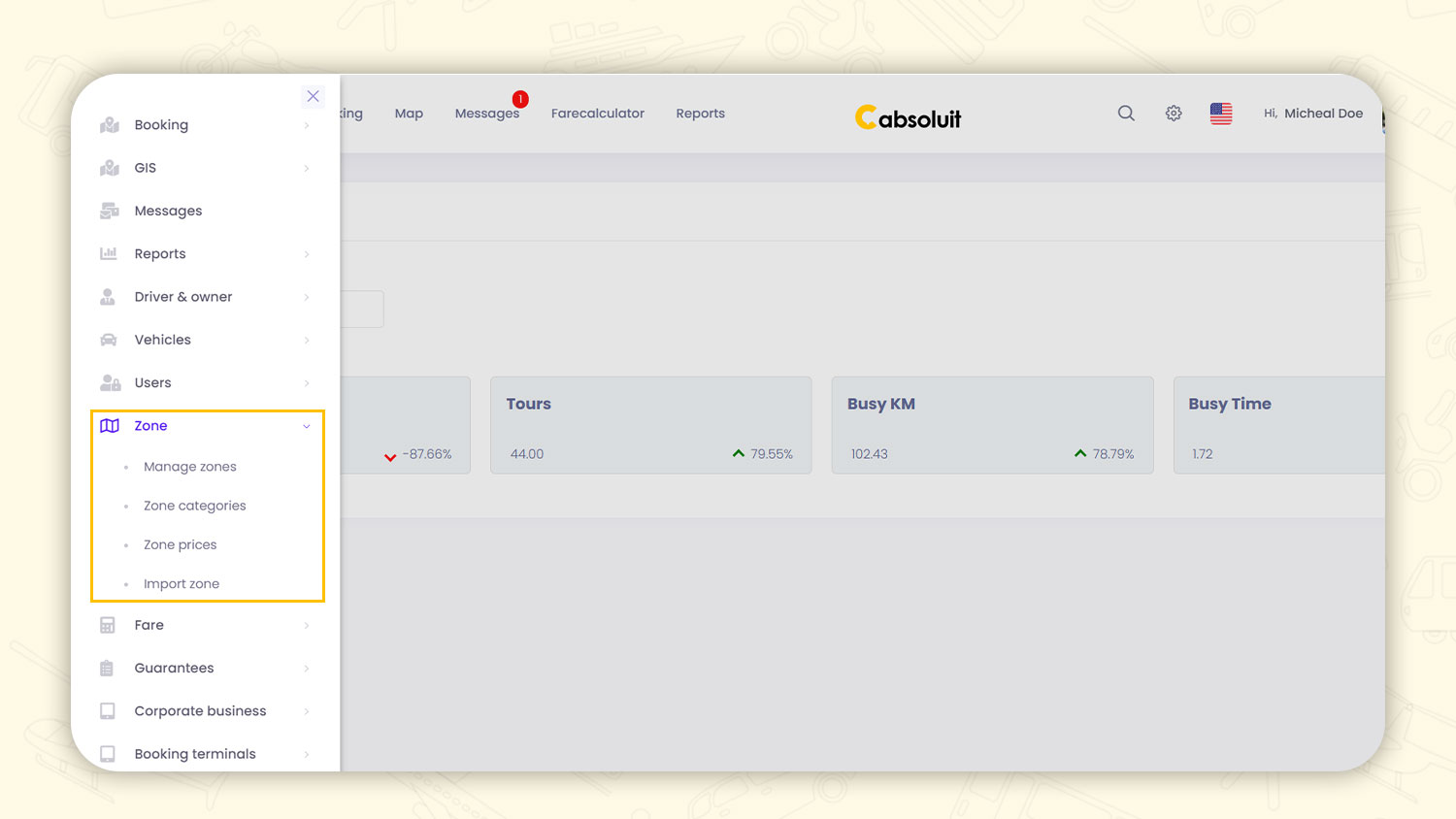
The Zone section in the admin portal has four parts — Manage Zones, Zone Categories, Zone Prices and Import Zone. Each one gives you a different level of control over how your UK school run operation is structured.
“A zone is a defined geographic service area.A zone is a custom service area the dispatcher creates themselves.”
Implied zones are Clarified there are no preset zones dispatcher draws them
Generic explanation specific to UK council contract areas and how operators use zones in practice
How to Create a Zone in Cabsoluit
Go to Admin Portal → Zone → Manage Zones.
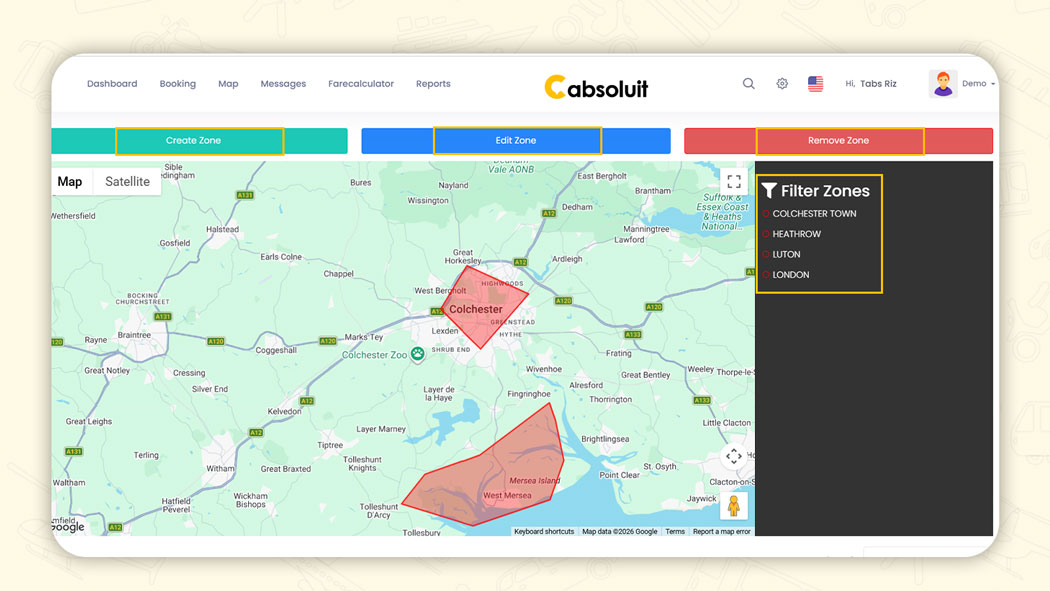
The screen opens on a map view with three options at the top Create Zone, Edit Zone and Remove Zone.
Click Create Zone: Draw the boundary of your service area directly on the map. Name the zone to match your UK council contract area for example, LEEDS NORTH, BRADFORD SOUTH, BIRMINGHAM EAST or MANCHESTER CENTRAL.
The zone names visible in Cabsoluit’s demo account include HEATHROW, LUTON, LONDON and COLCHESTER TOWN real UK locations that operators managing airport transfers and school run contracts across England use daily.
Once saved, the zone appears in the Filter Zones panel on the right. All your zones are listed there and can be toggled on and off on the map.
Existing zones including their names and categories appear in the table below the map. Each entry shows the zone name, neighboring zones, category and action buttons for view, edit, location, delete and assign.
How Zone Categories Work for UK Council Contract Areas
Zone categories group your zones by area type, making it easier to manage multiple UK council contracts from one screen.
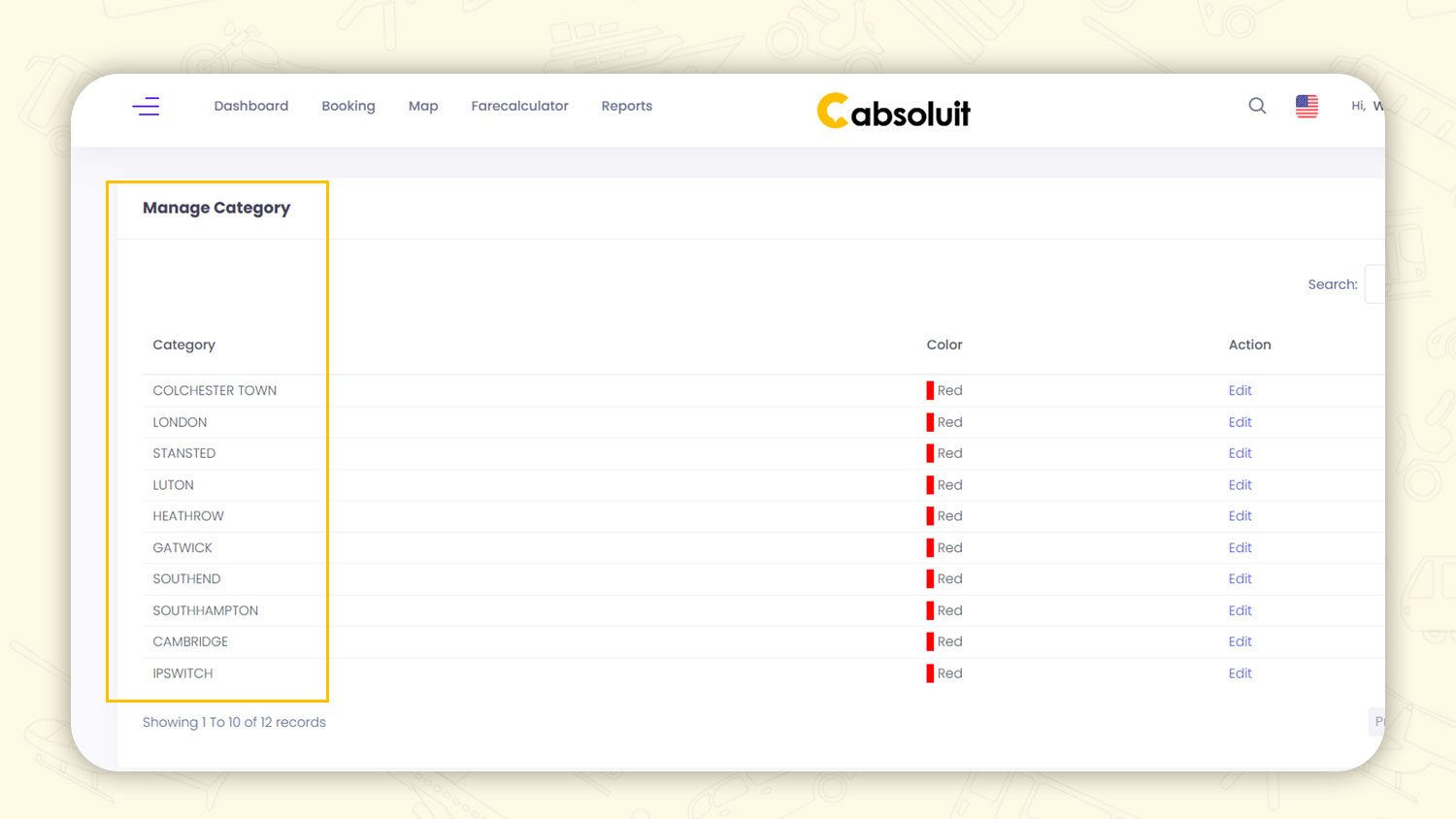
Go to Zone → Zone Categories. Click Create Category and give it a name that matches your contract area, for example, HEATHROW, LONDON, STANSTED, LUTON or COLCHESTER TOWN. Assign a color to each category, so they are visually distinct on the map.
The demo account shows 12 zone categories covering real UK locations Colchester Town, London, Stansted, Luton, Heathrow, Gatwick, Southend, Southampton, Cambridge and Ipswich. These are exactly the kind of council and airport contract areas UK private hire operators manage.
For UK school run operators managing contracts across multiple local authorities, categories keep everything separated. A West Yorkshire council contract gets its own category. An East Midlands contract gets another. When a booking comes in, the dispatcher immediately knows which zone category it falls under and which driver covers it.
How Zone Prices Work for UK School Run Council Contracts
Zone prices set the fixed fare for any booking that travels between two specific zones.
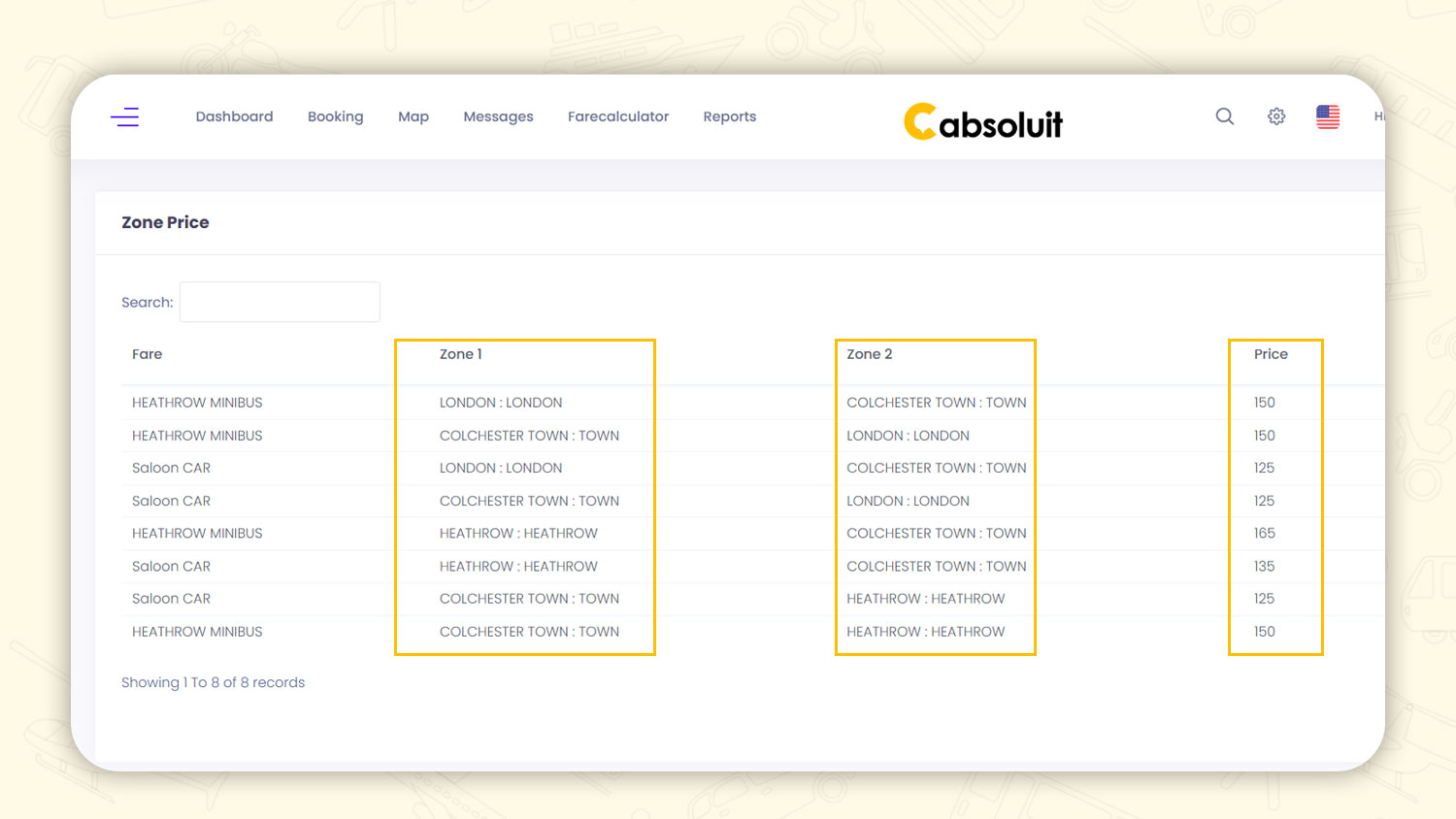
Go to Zone → Zone Prices. Click Create New. Select the fare type, for example, Saloon CAR or HEATHROW MINIBUS. Then select Zone 1 (the pickup zone) and Zone 2 (the drop zone) and enter the fixed price.
The system works in both directions. A Saloon CAR journey from LONDON to COLCHESTER TOWN is set at £125. The return COLCHESTER TOWN to LONDON is also set separately at £125.
For UK operators invoicing councils under Dynamic Purchasing System (DPS) contracts, consistent zone-based pricing is essential. UK councils expect the same fare for the same route every time. Zone prices in Cabsoluit remove manual fare calculation and ensure every council invoice is accurate and dispute free.
School run operators managing term time contracts across multiple UK local authorities use zone prices to lock in agreed contract rates. Once set, the system applies the correct fare automatically to every booking, no manual calculation, no billing errors, no disputes at invoice time.
How to Import UK Zone Boundaries
If your UK council contract comes with a KML file with a standard geographic boundary file used by local authorities, you can import it directly into Cabsoluit.
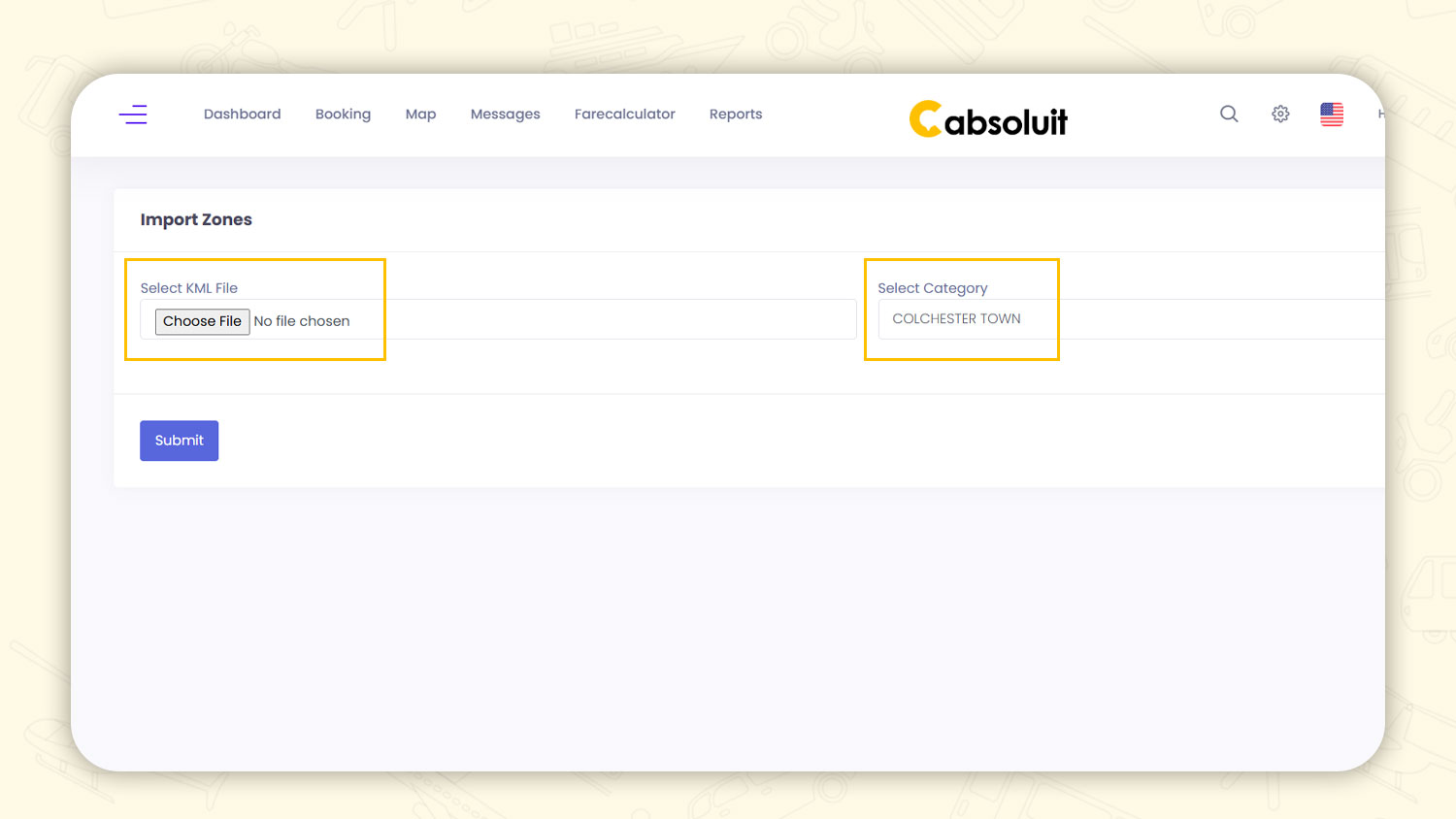
Go to Zone → Import Zone. Choose the KML file provided by your council and select the category it belongs to. Click Submit.
The zone boundary imports automatically onto the map. No manual drawing is needed. This is particularly useful for UK operators winning new DPS contracts where the council defines the service area precisely import their boundary file and the zone is ready immediately.
Conclusion
Cabsoluit's zone system keeps every UK school run contract area separate, correctly priced and easy to manage from one dashboard.
Set up your zones once, whether you cover one council area or ten. Every booking, every fare and every dispatch stays organized all term.
Try Cabsoluit free for 14 days, no setup fees, no long-term contracts. Start your free trial here.