



I’ve sat next to dispatchers running five cars. I’ve also sat next to dispatchers running for sixty. The jump between those two rooms is not “more of the same, just bigger.” It’s a different job entirely.
At 50+ vehicles, the problem stops being “manage my cars.” It becomes more bookings, more drivers, more active journeys, more allocation decisions, more exceptions, and often more than one dispatcher trying to work from the same picture at the same time.
Here’s the short version, before I walk through each piece. A workflow that actually holds up at this size moves through eight stages: booking intake, availability check, allocation, driver confirmation, live monitoring, exception handling, completion, and reporting. Skip a stage, and it’s usually the reason fleets feel chaotic once they cross 50 vehicles.
- What Changes at 50+ Vehicles
- Start With One Booking View
- Allocate the Right Driver
- Keep Dispatchers in Control
- Monitor Live Journeys
- Handle Exceptions Quickly
- Complete and Record the Journey
- Measure the Workflow
- Test the Workflow Before Scaling
- The 50+ Fleet Workflow
- When to Improve Your Workflow
- FAQs
What Changes at 50+ Vehicles
A workflow that works fine for 5 or 10 vehicles can fall apart once a fleet grows. Not because the software gets worse. Because the volume of decisions grows faster than most people expect.
1. More Simultaneous Bookings
With a small fleet, one booking usually finishes before the next one needs attention. At 50+ vehicles, several bookings can land while other journeys are still in progress.
That means a dispatcher is never making one decision at a time. They’re making several stacks on top of each other, with real passengers waiting on each one.
2. More Driver Decisions
Every booking needs a driver. But “needs a driver” hides a lot of smaller questions. Is this driver actually free right now? Where are they? Is their vehicle right for this job?
With 5 drivers, a dispatcher can hold all of that in their head. With 50, they can’t. They need the system to show it to them.
3. More Dispatcher Coordination
Crossing 50 vehicles doesn’t automatically mean you need multiple dispatchers. It depends on your booking volume, your operating hours, and how complex your service mix is.
Some 50-vehicle operations run fine with one skilled dispatcher. Others need three. What does matter, regardless of headcount, is that whoever is dispatching is working from the same information, not a private list or a half-remembered picture of the fleet.
Start With One Booking View
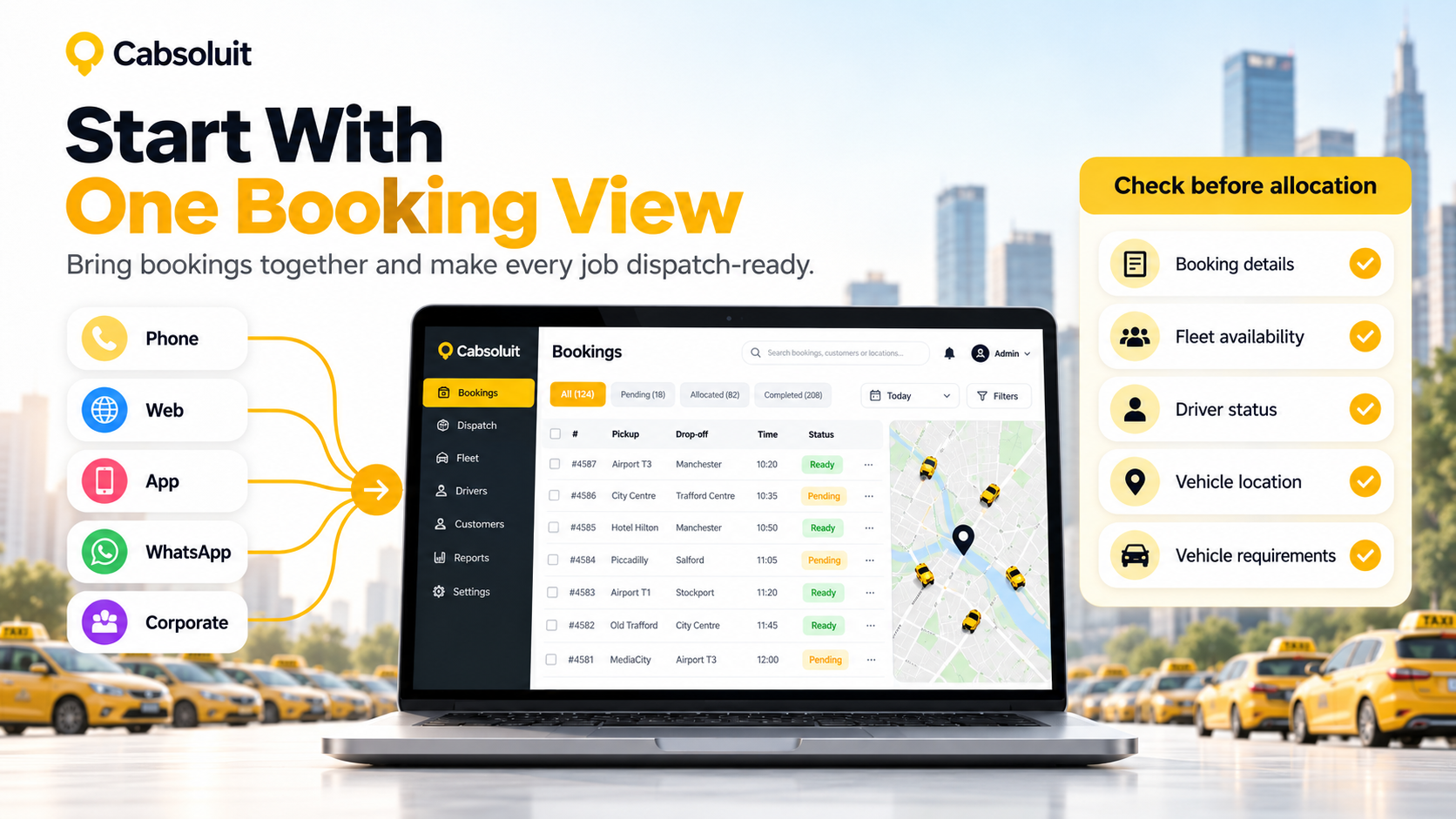
Before anything else, a large fleet needs one source of truth for bookings. Not five sources. One.
1. Bring Bookings Together
Bookings usually come in from more than one place. Phone calls. A website. A passenger app. WhatsApp. Corporate accounts booking in bulk. I’m not listing these to describe features. I’m listing them because this is exactly where large fleets get into trouble.
If phone bookings live in one notebook and app bookings live in a separate screen, nobody has the full picture. A driver gets double-booked. A booking gets missed entirely. Neither mistake is rare once a fleet crosses 50 vehicles and the booking volume climbs with it.
Cabsoluit’s current setup brings phone, web, app, and corporate bookings into one dashboard, with WhatsApp also available as a booking channel. I mention that here not to sell it, but because it’s the direct answer to the risk I just described: one view, not five.
2. Check Booking Details
Before a booking goes anywhere near allocation, it needs to be complete. Pickup location. Destination. Time. Any passenger requirements. Any vehicle requirements. Special instructions.
My rule of thumb: every booking should be dispatch-ready before it enters the allocation stage. If a dispatcher is still chasing missing details after a job has already been handed to a driver, that’s a process failure, not a software failure.
3. Check Fleet Availability
Once a booking is ready, the next question is simple to ask and hard to answer well: who can actually take this job?
4. Check Driver Status
A driver’s status isn’t just “available” or “not available.” At any moment, a driver might be available, already assigned to something else, mid-journey, or genuinely offline.
Get this wrong, and you send a booking to a driver who can’t actually take it. At small scale, that’s a minor hiccup. At 50+ vehicles, it’s a pattern that erodes trust fast.
5. Check Vehicle Location
“Available” on a screen doesn’t always mean “realistic for this job.” A driver might be marked free but sitting twenty minutes away from the pickup.
Location data matters because it turns “available” into “actually suitable.” That distinction is easy to skip when you’re small and hard to ignore once you’re large.
6. Check Vehicle Requirements
Not every vehicle fits every job. Passenger capacity, vehicle category, accessibility needs, and service restrictions all narrow down the pool of who can actually take a booking.
This is where a dispatch workflow stops being generic advice and starts being operational. It’s not enough to say “assign a driver.” You need to assign the right driver, for this specific job right now.
Allocate the Right Driver
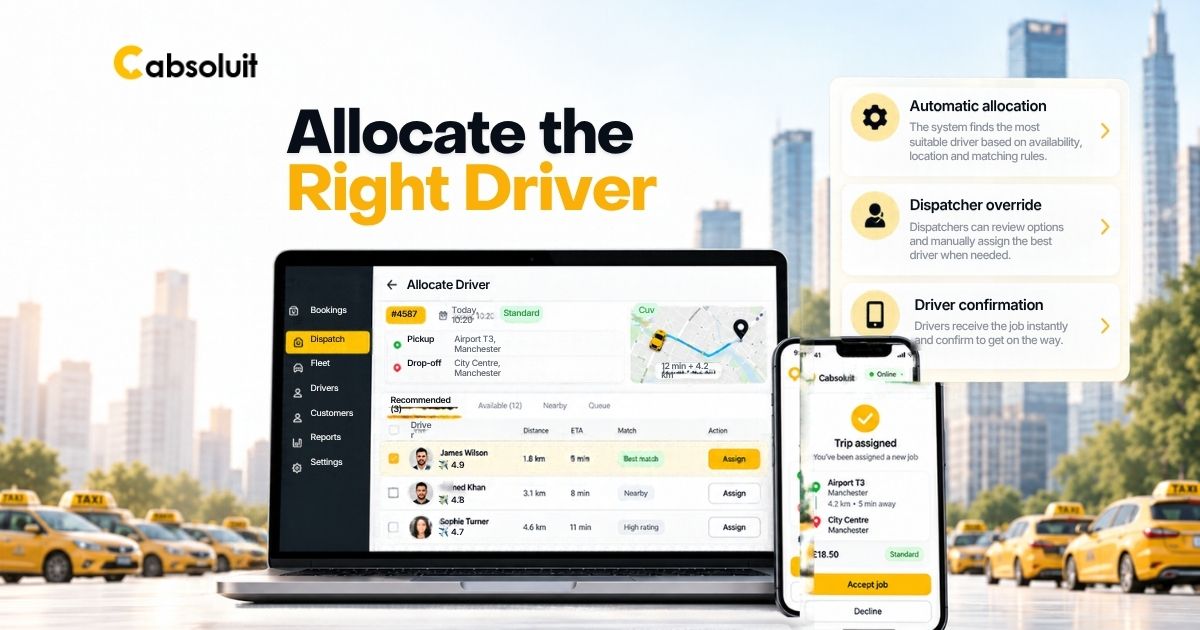
With availability checked, it’s time for the actual allocation decision.
1. Automatic Allocation
For routine, straightforward jobs, automation earns its place. A well-configured system can match bookings to available, suitable drivers using set dispatch rules, without a human re-deciding the obvious every single time.
Cabsoluit supports this kind of automated allocation alongside manual assignment and offers both queue-based and distance-based dispatch logic depending on how you want jobs distributed.
2. Dispatcher Override
Automation should never fully remove a human from the decision. I’ve seen fleets lean too hard into “the system will handle it” and regret it the first time something unusual happens.
A dispatcher needs to step in when a customer asks for a specific driver, when an assigned driver suddenly becomes unavailable, when a vehicle requirement changes mid-booking, when an urgent job arrives, or when an automatic match is simply wrong for the situation. Good automation handles the routine. People handle the judgment calls.
3. Driver Confirmation
The handoff itself needs to be clean: booking, to driver, to full journey information, to a clear acceptance or status update. If a driver isn’t sure what they’ve accepted, or a dispatcher isn’t sure whether a driver has actually confirmed, you’ve built uncertainty into the one moment that most needs to be certain.
Keep Dispatchers in Control
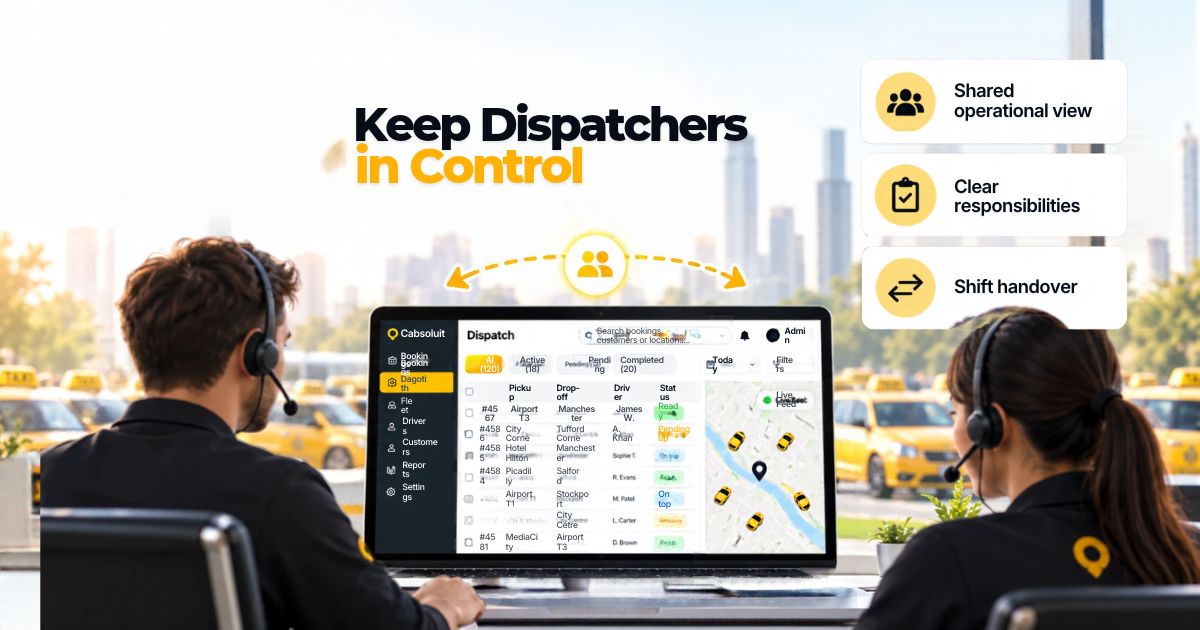
This is the section I’d fight hardest to keep in any serious piece about large-fleet dispatch, because it’s where “automation does everything” marketing usually falls apart.
1. Shared Operational View
Every dispatcher working your fleet needs to see the same booking and fleet information, in real time. Not a version from ten minutes ago. Not their own private notes.
I’ve watched two dispatchers give conflicting information to the same driver because they were working from different pictures of the day. That’s not a training problem. That’s a visibility problem.
2. Clear Responsibilities
Larger operations often split dispatch work by function. One person on booking management. Another on live dispatch. Someone else handling driver support or escalations.
I won’t tell you there’s one correct structure here, because there isn’t. What matters is that the split is clear, whatever shape it takes for your operation.
3. Shift Handover
At some point, one dispatcher or team hands the day over to another. The next person coming on shift shouldn’t have to rely on someone’s memory, or a spreadsheet nobody else has seen.
A clean handover means the incoming dispatcher can see exactly where things stand, without a phone call first.
Monitor Live Journeys
Assigning the booking isn’t the finish line. The workflow keeps running for as long as the journey is active.
1. Track Vehicle Location
Live location tells a dispatcher where a vehicle genuinely is, not where it was supposed to be twenty minutes ago.
2. Monitor Driver Status
At any given moment, you want to know whether a driver is available, assigned, en route, on a trip, or finished. That status is what makes every other decision possible.
3. Watch Active Bookings
A dispatcher should be able to glance at the board and immediately tell which journeys are running normally, which are delayed, which need attention, and which bookings haven’t been assigned yet.
Cabsoluit’s platform is built around exactly this kind of real-time vehicle tracking, with daily fleet control managed from one dashboard rather than scattered across separate tools.
Handle Exceptions Quickly
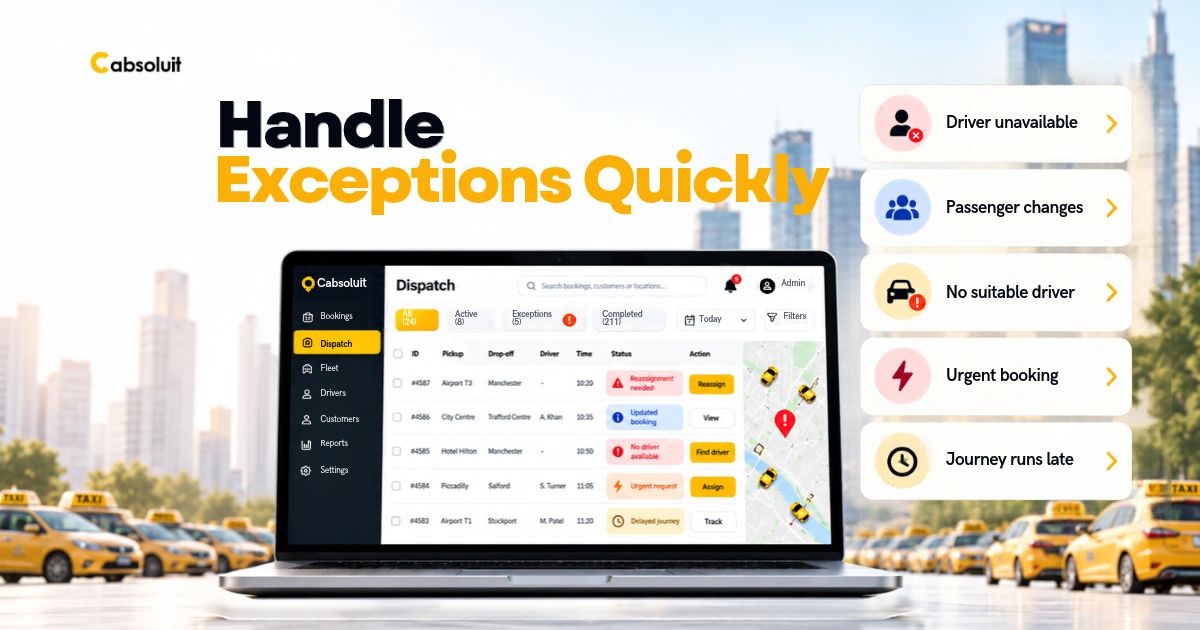
1. Driver Becomes Unavailable
A driver who was assigned suddenly can’t take the job. The booking needs to move to someone else, fast, without the passenger ever knowing there was a problem.
2. Passenger Changes Details
A pickup time shift. The destination changes. That update needs to flow straight back into the live booking, not sit in a text message nobody’s checked yet.
3. No Suitable Driver
Sometimes there isn’t a good match available right now. I’d rather a workflow escalate that honestly than pretend automation can always conjure up a vehicle that doesn’t exist.
4. Urgent Booking Arrives
An urgent job comes in while the fleet is already busy. The dispatcher needs to weigh available capacity without losing track of everything already in progress.
5. Journey Runs Late
The trip is running behind. Live status is what lets a dispatcher spot that early and respond, rather than finding out after a passenger complains.
Exceptions like these are where real dispatch experience shows. Anyone can describe the happy path. Handling the messy ten percent well is the actual job.
Complete and Record the Journey
The workflow doesn’t stop the moment a driver reaches the destination.
1. Mark Journey Complete
The booking’s status needs to reflect reality. A completed trip should look completed, not stuck in an ambiguous “in progress” state because nobody closed it out.
2. Retain Journey Data
Every completed booking is a small piece of operational history. On its own it doesn’t mean much. Together, over weeks and months, it tells you how your fleet actually runs.
3. Feed Performance Reporting
That retained data is what makes real reporting possible. Booking volume, driver activity, fleet utilisation, demand patterns, and cancellations all come from the same stream of completed journeys.
Cabsoluit’s reporting draws on exactly this kind of completed-trip and driver-activity data to give fleet managers a working picture of their operation, rather than a vague summary.
Measure the Workflow
1. Booking Response
How quickly does a new booking actually get picked up and processed, from the moment it lands?
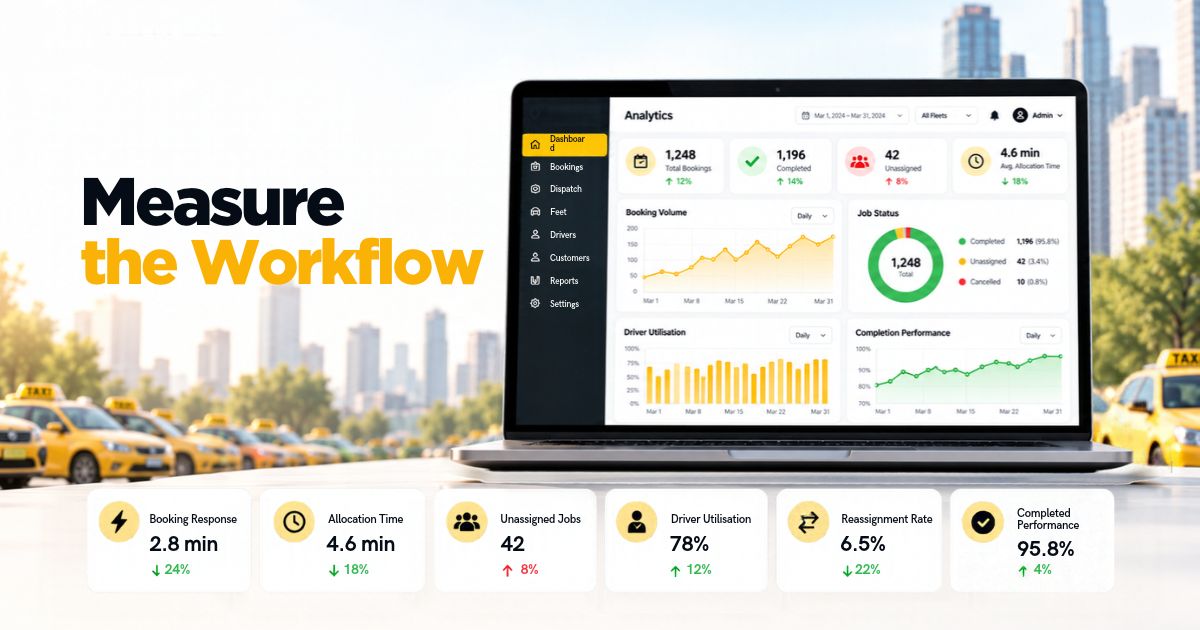
2. Allocation Time
How long does it take to go from booking ready to driver assigned?
3. Unassigned Jobs
How often does a booking sit without a suitable driver for longer than it should?
4. Driver Utilisation
Are some vehicles working flat out while others sit idle for long stretches?
5. Reassignment Rate
How often does a job that was already assigned need to be moved to someone else?
6. Completion Performance
Are journeys finishing the way they were planned, or is there a gap between what was promised and what actually happened?
Test the Workflow Before Scaling
Before you trust any workflow at 50+ vehicles, put it under some pressure. These are the tests I’d actually run.
Test 1: Normal demand. Can a dispatcher process routine bookings smoothly, without the system getting in the way?
Test 2: Peak demand. What happens when a wave of bookings arrives at once?
Test 3: Driver unavailability. Can a booking be reassigned quickly when the original driver drops out?
Test 4: Multiple dispatchers. Can two or more people work the same fleet without giving a driver or a passenger conflicting information?
Test 5: Service mix. Can the operation handle different journey types, like a school run and a corporate account, running at the same time without friction?
Test 6: System or communication failure. If the dispatch platform or a communication channel goes down, what’s the fallback? Every large fleet needs an answer to this one, even if the honest answer is “we’d fall back to phones for a few hours.”
The 50+ Fleet Workflow
The whole thing in one glance is:
- Receive booking
- Validate details
- Check fleet availability
- Allocate driver
- Driver receives journey
- Monitor live trip
- Handle exceptions
- Complete journey
- Review performance
When to Improve Your Workflow
I’d rather give you warning signs than a sales pitch. Here’s how you know your current workflow needs work, regardless of what software you’re using:
- Dispatchers are relying on memory instead of a shared view
- Bookings are scattered across different channels with no single picture
- Driver availability is unclear at a glance
- Reassigning a job takes too long when something goes wrong
- Active journeys are hard to monitor in real time
- Different dispatchers are working from different information
- Future, recurring bookings are hard to prepare for in advance
- Growth is creating more admin work instead of more capacity
If more than two or three of this sound familiar, your workflow is the bottleneck, not your fleet size.
FAQs
1. How should a 50+ vehicle fleet allocate drivers?
By combining automated allocation for routine, straightforward jobs with a dispatcher who can override the system when something needs a human judgment call. Neither approach alone is enough on its own.
2. Should large taxi fleets automate driver allocation?
For routine bookings, yes, it saves real time. But automation should handle the obvious cases, not replace a dispatcher’s ability to step in when a situation is genuinely unusual.
3. How can dispatchers manage multiple active journeys?
With one shared, real-time view of every vehicle, driver, and booking. Managing multiple journeys from memory or separate lists is where mistakes start creeping in.
4. What should happen when an assigned driver becomes unavailable?
The booking should be reassigned quickly, ideally before the passenger even notices anything changed. That depends on having real-time visibility into who else is actually available.
5. How can a taxi fleet measure dispatch performance?
Track booking response time, allocation time, how often jobs go unassigned, driver utilization, how often assignments get reshuffled, and whether journeys are complete as planned. Together, those numbers tell you far more than a single vague measure of efficiency.
Interested in learning more? Get in touch!
Please fill out the form below and we will get back to you shortly.